How to create a Tutor account?

🧑🏫 Tutor FAQs – Getting Started on MentorClap
🌟 Welcome Tutors!
Welcome to MentorClap, a trusted platform that connects expert tutors with students across India.
Start your teaching journey with us in just a few simple steps — create your account, complete your profile, get verified, and start receiving student enquiries directly on your dashboard.
1️⃣ How can I register as a tutor on MentorClap?
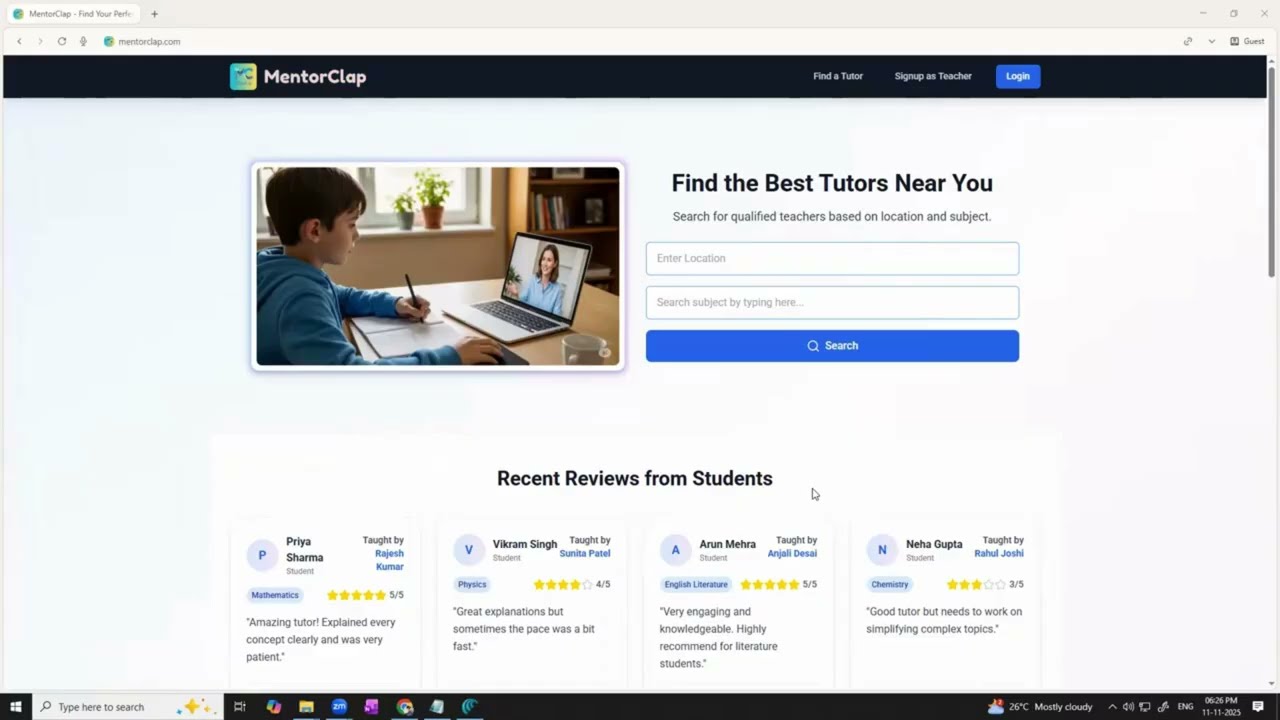
To register as a tutor, visit www.mentorclap.com and click on “Signup as Teacher” at the top-right corner of the homepage.
2️⃣ What details are required to create my tutor account?
You’ll need to fill in the following details on the signup page:
-
Full Name
-
Email ID
-
Password & Confirm Password
Then tick “I agree to the Terms and Conditions” and click on Create Account.
3️⃣ How do I verify my phone number?
After creating your account, you’ll be redirected to the Phone Number Verification page.
-
Enter your phone number and choose WhatsApp or SMS to receive a 6-digit OTP.
-
Enter the OTP in the given box and click Verify.
4️⃣ How do I add my address?
Next, you’ll be asked to Add Your Home Address.
You can either:
-
Click Use Current Location to automatically fetch your address, or
-
Select Enter Manually to type in your complete address.
Finally, click Add Address to continue.
5️⃣ How can I complete my tutor profile?
Once your address is added, you’ll be taken to the Complete Your Profile page. Fill in the following details carefully:
-
Select Your Avatar – Upload a clear profile photo.
-
Write Your Bio – Mention your teaching experience, achievements, and areas of expertise.
-
Select Gender.
-
Choose Teaching Mode – Online, Offline, or Hybrid.
-
Select Classes – Add all classes you teach (e.g., Class 6, 7, 8, 9, 10) one by one.
-
Select Board(s) – Choose the boards you teach (CBSE, ICSE, State Board, etc.).
-
Select Subjects – Pick all the subjects you teach.
-
Select Languages – Mention the languages you can teach in.
-
Upload Documents:
-
ID Proof (any government-issued ID such as Aadhaar, PAN, etc.)
-
Highest Educational Qualification Certificate
-
After entering all the details, click on Submit.
6️⃣ What happens after I submit my profile?
Your documents will be reviewed by the MentorClap verification team. Once approved, your tutor account will become active, and you’ll start receiving student enquiries in the “All Enquiry” tab on your dashboard.
7️⃣ How long does approval take?
Verification usually takes a short while. You’ll receive a notification once your documents are approved and your profile is live on the platform.
Completing your profile helps you get verified faster and start receiving student inquiries.
Make sure all your details are accurate and complete for better visibility and trust among students and parents.
If you still need any help, you can contact us at support@mentorclap.com or call +91-9449938466.
Video Explanation
Watch a video tutorial related to this FAQ
Was this helpful?
Share this FAQ with others who might need it